
Edible Tin Label Space: Reserve the Surface Before Final Artwork
Updated:
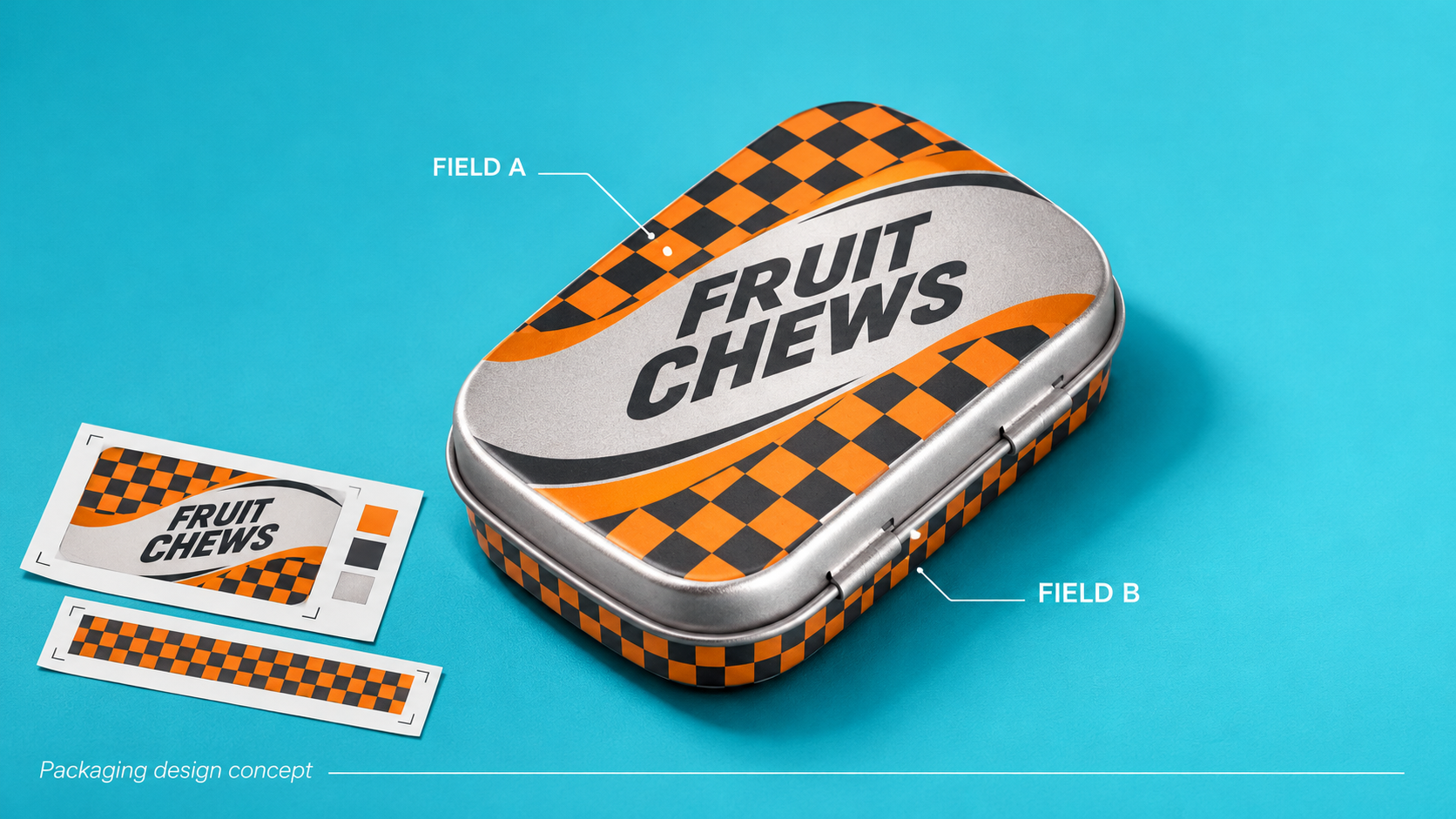

Artwork is nearly approved when operations explains that two later-applied information fields need space, not the single placeholder the designer reserved. Shrinking the text is not the first solution. Reconcile the information architecture and application responsibility before compromising the layout.
Distinguish a missing field from a placement conflict
One route changes the allocation of surface area while retaining the intended application process. Another changes the proposed application arrangement and requires the operator's review. Do not infer equipment capability or legal text size from the design file. Mark fixed decoration, later information and moving boundaries on the same assembled reference so the actual conflict is visible.
Surface allocation card
Use this worksheet to structure a project-specific decision. It is not a test standard or acceptance limit.
| Field type | Owner input | Decision |
|---|---|---|
| Fixed decoration | Accepted artwork version | Which surfaces carry the design? |
| Later-applied information | Content and application owner | Where is each actual field proposed? |
| Moving or removable component | Assembled reference | What happens to the field during use? |
Separate permanent graphics from variable information
Identify which information is printed with the tin artwork and which is added later. Give each variable element an owner and an intended application stage. Without that distinction, a beautiful proof can leave the packing team no practical location for a later label or code. Use placeholders only to communicate position; they do not approve legal wording or readability.
Mark the assembly boundaries
Map the body, lid, opening features and any component that moves during use. Then show how the proposed label or code sits on that assembled package. Review the actual surface and application method rather than treating a flat design file as a complete representation. If a label bridges components, discuss the intended function explicitly instead of assuming that placement is merely decorative.
Review the labeling operation
Ask who applies each label, what reference they use for orientation, and whether the tin is filled or empty at that point. These questions help reveal avoidable handling steps and mismatched expectations. They do not establish line speed or equipment compatibility; those need information from the actual operator and equipment process.
| Decision | Record |
|---|---|
| Information | Permanent graphics versus variable fields |
| Surface | Body lid and moving boundaries |
| Process | Application owner stage and orientation |
Reserve a route for revision
Product information can change after the first visual concept. Retain a surface map showing the boundaries and the currently intended variable fields. If a market or product variant needs a different layout, identify it as a separate reviewed version. Do not assume that shrinking text or moving a code resolves a regulatory requirement without the responsible review.
Create a surface map that survives design handover
Imagine that the design team reserves space for one label while the operator expects two independently applied labels. Resolve the information architecture before reducing graphic space. Mark each proposed field on the same surface map and identify which team owns its final size, wording and application. Where the necessary information is unknown, keep a clearly named open area instead of pretending a placeholder is approved. The map should travel with the applicable artwork revision. This lets the next reviewer see both the appearance proposal and the operational information that still needs a decision.
Turn the review into a purchasing brief
Send a surface map separating permanent graphics from later labels and codes, with an owner for each field. Resolve placement and application conditions before approving the artwork revision.
Does this guide identify required label text?
No. Applicable requirements need their own current review.
Can a flat proof approve label application?
It can communicate position, but application on the actual package remains a separate task.