
Logo Up or Controls Clear: Which Vape Face Should Be Visible in the Tin?
Updated:
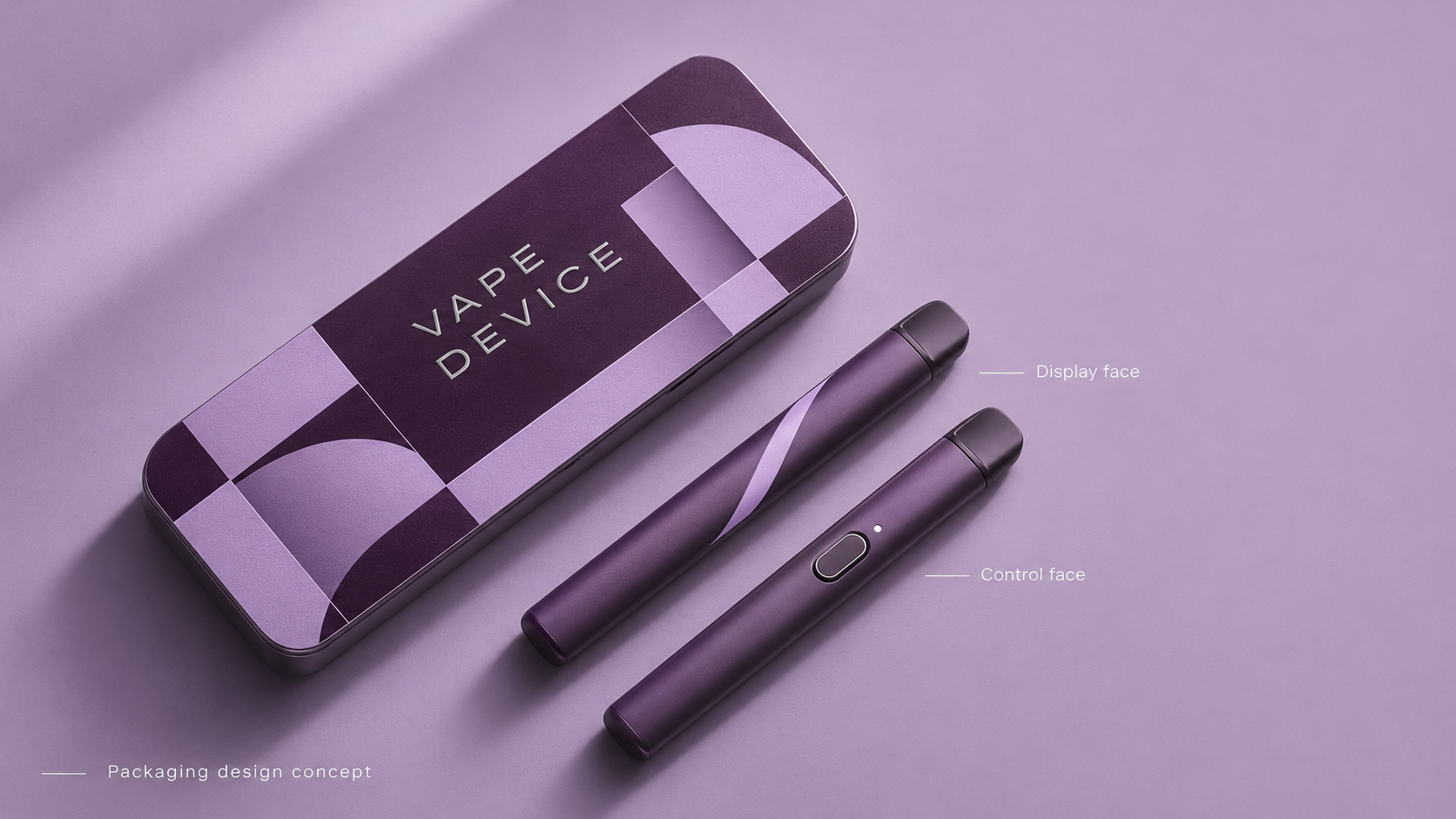

Choose the displayed face together with support, loading and removal requirements. A preferred logo view can conflict with a feature on the hidden face. Compare the actual faces and intended opening position before treating orientation as an artwork-only decision.
Choose the next question from the observed conflict
If presentation is the only unresolved preference, make that objective explicit. If a hidden control or connector changes support, give that feature to the packaging reviewer. If a display prop is used for photography, keep it distinct from the supplied retail state. Compare candidate arrangements using the actual product rather than assuming branding similarity establishes physical interchangeability.
| Situation | Next question or route | Limit |
|---|---|---|
| Logo view preferred | Review the opposite face | Aesthetic choice does not approve support |
| Access conflicts with preferred face | Compare orientation and local access options | Both need an assembled review |
| Photography uses a prop | Label the demonstration state | Do not promise the same reveal without it |
Write down the first-view objective
Brand teams may want the logo, device color or a product identifier visible on opening. Name the required face using a marked product image and an actual reference. Avoid instructions such as logo up when multiple marks exist or the loading team views the device from a different direction. Define orientation from the consumer’s opening position.
Check the opposite side
The hidden face may have controls, protrusions or a surface the insert should not bear against. Review both sides and the ends rather than treating presentation as a two-dimensional artwork decision. If a device has more than one intended variant, compare their marked orientation references. Similar branding does not prove the same physical support arrangement is suitable.
Balance visual order with assembly
An orientation rule that requires repeated turning or inspection may affect packing work. Ask operations to explain how it will identify the correct position. A simple component map can be more useful than a lifestyle render. In a hypothetical two-color kit, the team might choose to preserve consistent control placement rather than force identical logo alignment across different device constructions.
| Review item | Information to retain |
|---|---|
| Display | Named face and opening direction |
| Support | Surfaces beneath the device |
| Assembly | How packers identify orientation |
| SKU mapping | Variant-specific approved image |
Compare the customer’s first view
Photograph the same loaded kit from the opening position in both candidate orientations. If the preferred face places an unreviewed control against the insert, compare the alternate face first. If the branded face must show, ask whether the support can move while keeping the intended grasp clear. Record the chosen view by variant and show how the packing team can recognise it.
Can the same presentation image cover every variant?
Only after the intended variants and their arrangements have been reviewed.
Is logo alignment only an artwork issue?
No. It may also change support, access and loading decisions.